
InvestigatorGlossary
Case Alerts
Alerts are automated notifications triggered by certain account activity. They help elevate important issues to the attention of the user and the user's team.
How to Read Alerts:
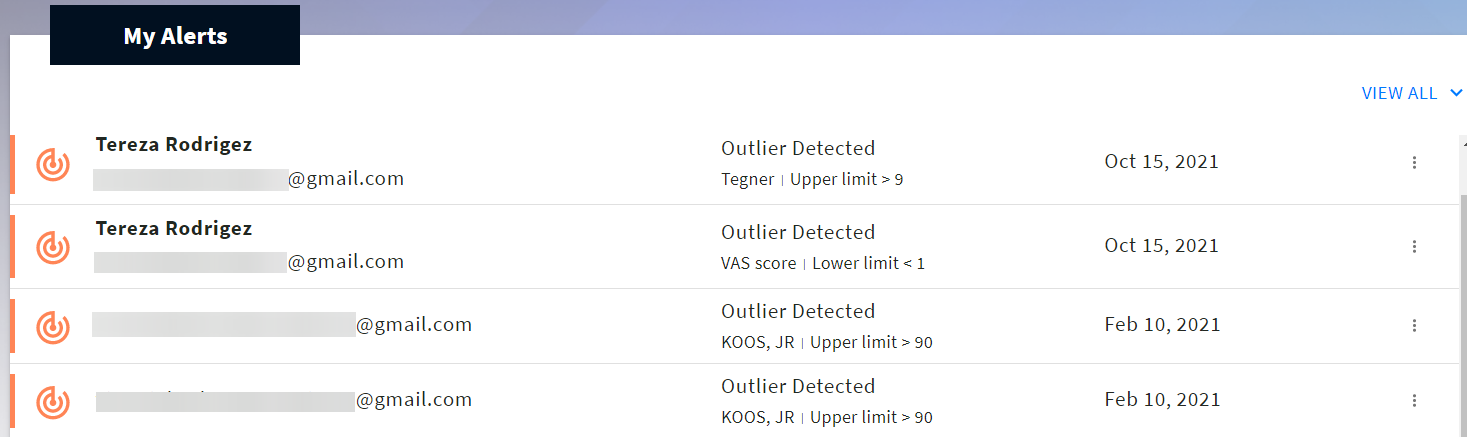
- Alerts can be accessed by the user dashboard, where they are sorted by Source, Type, and Date.
- Case alerts are triggered when receiving an abnormal response within a survey, such as an outlier score. Clicking on a case alert will open the specific survey, allowing a user to see the response, or total score, which created the alert.
- Circle alerts are triggered when a user receives an invitation to a circle. Clicking on the three dots on the right of the circle allows a user to accept the invitation and join the circle.
How to Configure Your Alerts
Did this article answer your question?
Related articles