
InvestigatorCircles
Leaving a Circle
Caution: If you have the role of a Circle funder, administrator, or founder, it is not possible for you to leave the Circle.
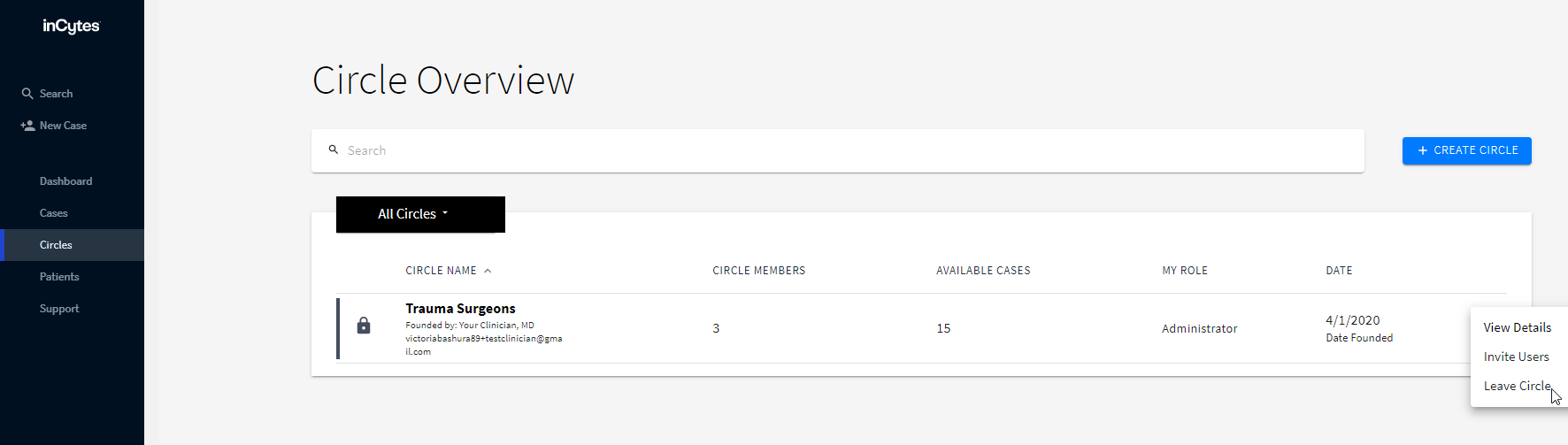
- Go to Circles tab.
- Click three dots next to the required Circle and select Leave Circle.
- Confirm your action by clicking Leave.
Note: If you choose to leave a Circle, the following conditions must be met:
• You are not the founder
• You do not have active cases that have been funded by someone else
If you have cases that are active that you have funded, then those cases will be removed from that Circle
Did this article answer your question?
Related articles