

+1 (332) 900-1500
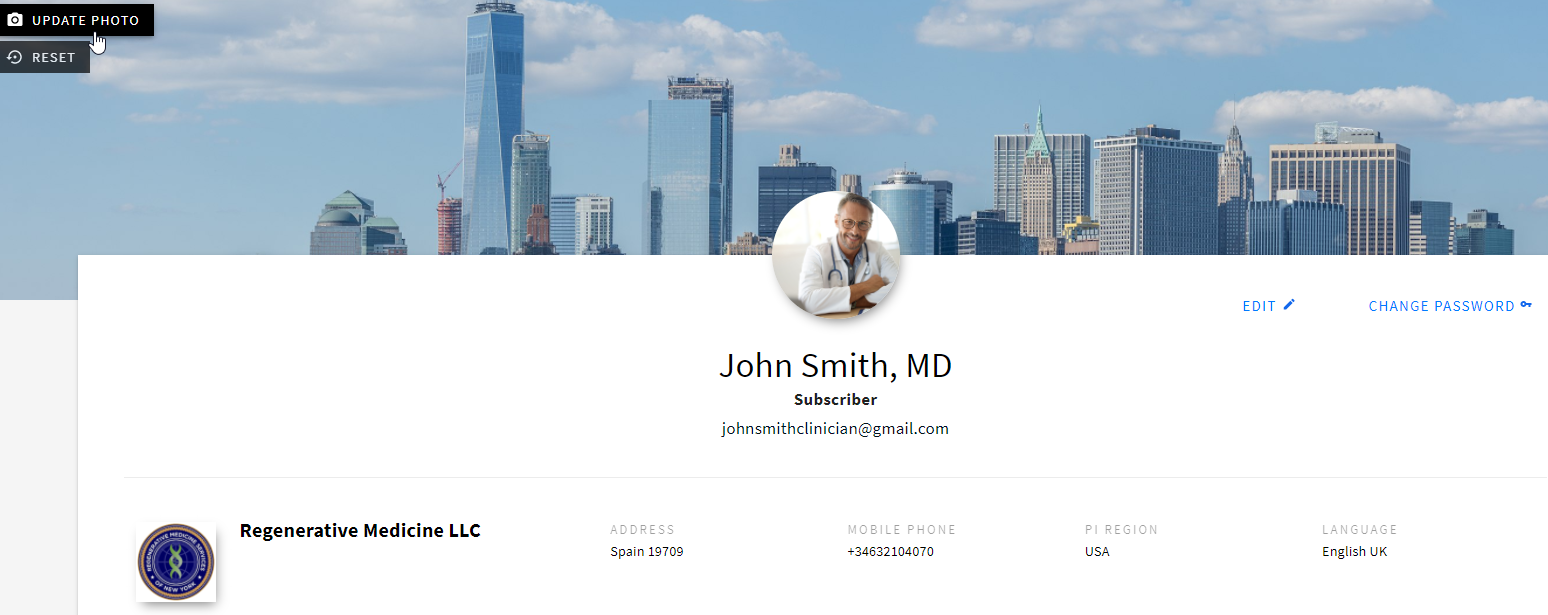
1. Access the Profile screen through the main navigation bar in the bottom left corner.
2. To upload/reset:
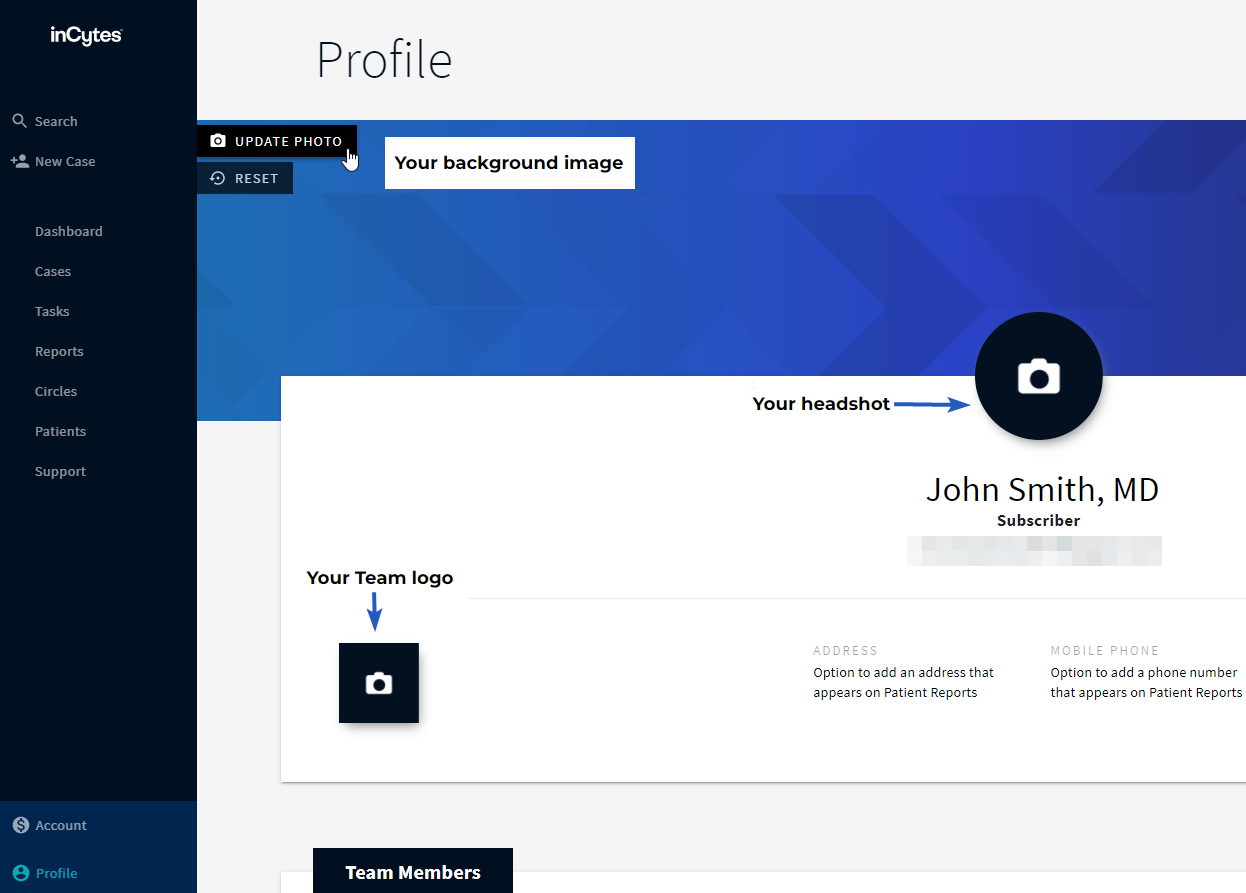
Note: Recommended file types: JPG, PNG, BMP. Recommended file size: larger than 174x174 px (aspect ratio 1:1)

Note: Recommended file types: JPG, PNG, BMP, recommended file size: 1704x306 px
Note: Recommended file types: JPG, PNG. Recommended file size: 100x100 px

3. Select EDIT to upload new personal details, including your name, title, preferred language of your app interface, and team information relative to your organization/institution. Press SAVE when complete.
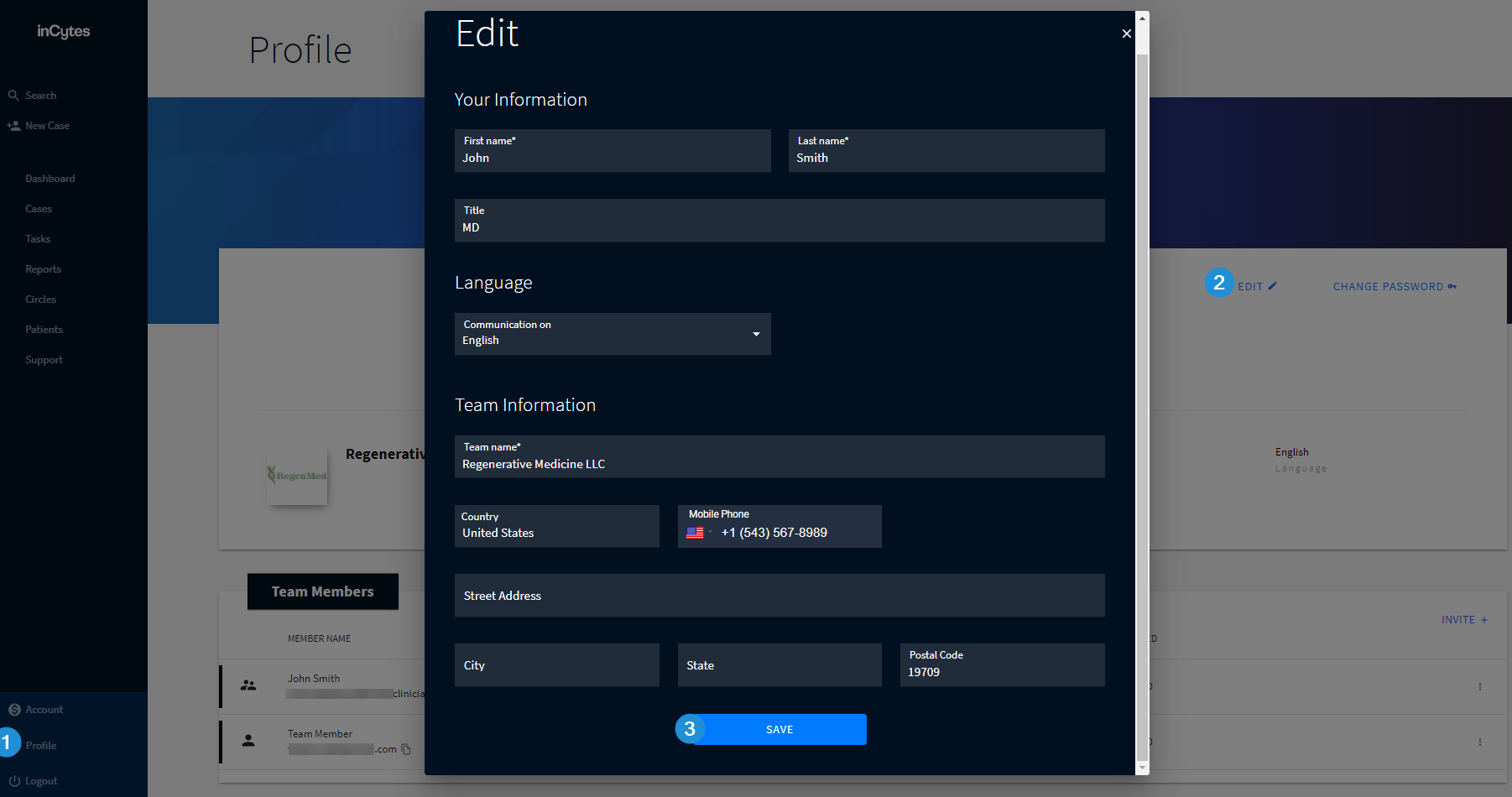
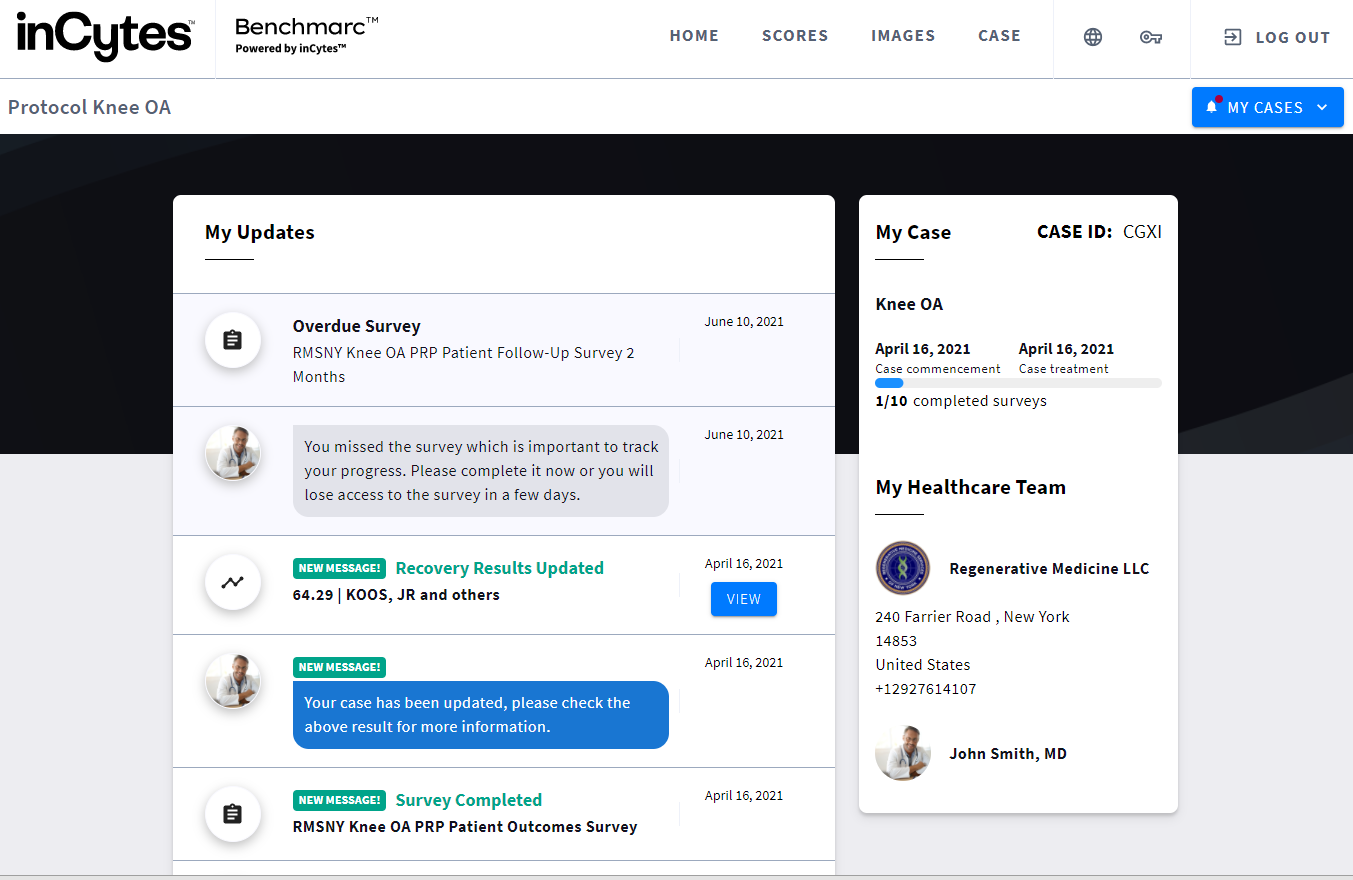
Note: Your personal and team information is extremely important to be filled in, as it will be displayed within the ‘My Healthcare Team’ section of Benchmarc™.
Search keywords:
Tomorrow's Healthcare Decisions. Todays's Real World Evidence.
