

+1 (332) 900-1500
1. Click Settings at the top right of the Report Builder.

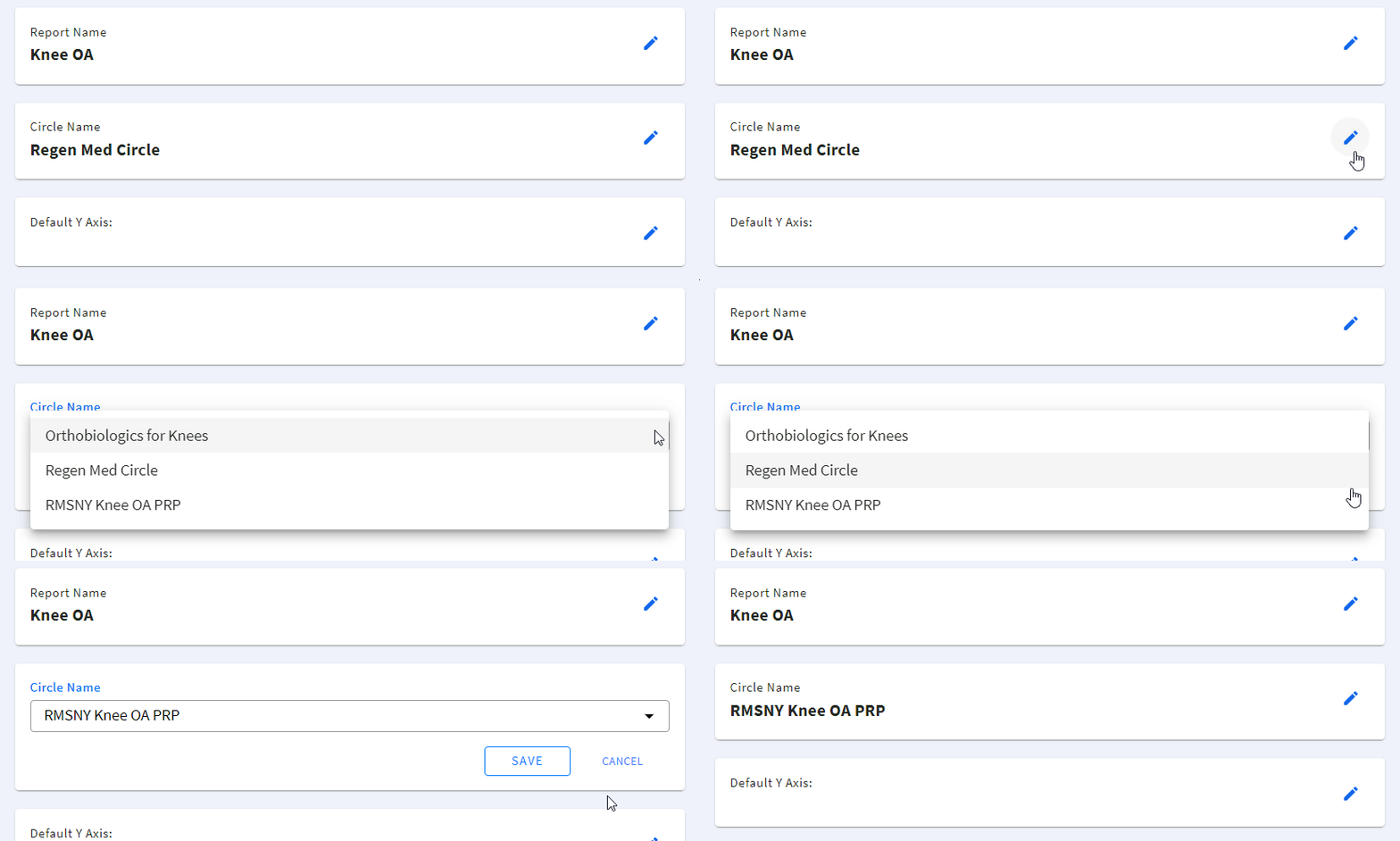
2. Click next to the Circle Name

3. Select the required Circle from the suggested list and click SAVE to save the selected Circle (or click CANCEL to cancel the selection)
Caution: Changing the Circle will reset your report settings to the default.
Search keywords:
Tomorrow's Healthcare Decisions. Todays's Real World Evidence.
