

+1 (332) 900-1500
We have two modes in the report builder:
To set the required data update mode:
1. Go to the Reports and select the required one from the list
2. Click
EDIT
at the top right of the report

3. Go to the Report
Settings

4. Click

in the Data Update field

5. Select the required data update mode:
6. Click SAVE
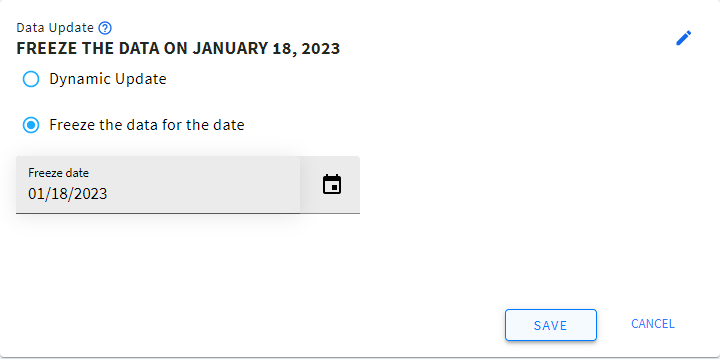
Note: In Data Freeze mode the data is pulled from the surveys where the completion date is less than or equal to the freeze date selected. The survey completion date and time is considered in UTC.
E.g., two patients have March 1 as a survey due date. Patient 1 completed the survey on March 1 and Patient 2 completed the survey on March 2. When you set March 1 as the data freeze date, only the data of Patient 1 will get into the report.
Search keywords:
Tomorrow's Healthcare Decisions. Todays's Real World Evidence.
