

+1 (332) 900-1500
Yes, to collect different types of data within one observational protocol, you can select the required OP version when creating a new case.
Note: You will not be able to change the protocol version once the case is created
To do this,
1. Navigate to Cases and click +ADD CASE
2. Click SHOW ADVANCED SETTINGS
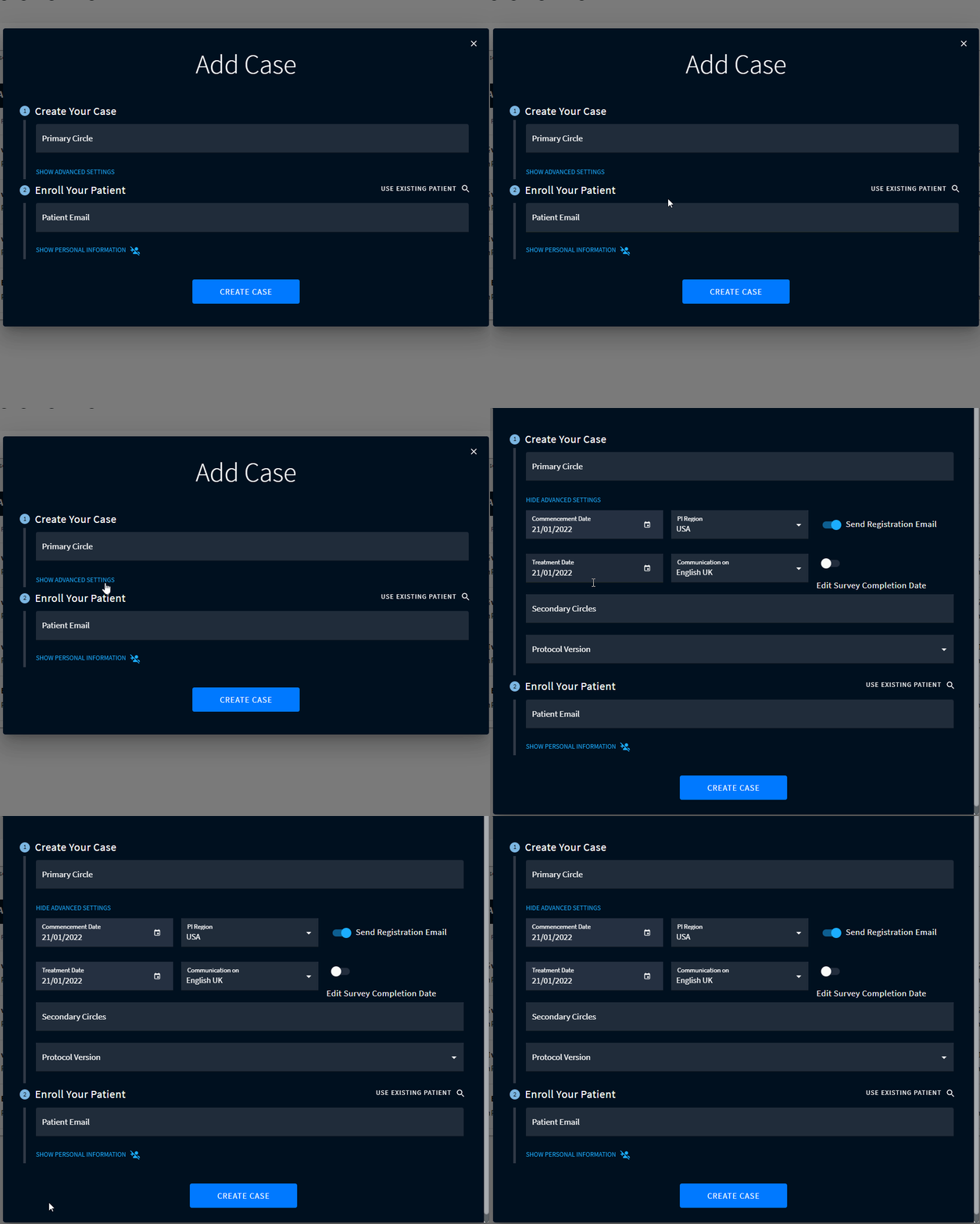
3. A default Protocol Version will automatically be pre-selected. To change the version, open the dropdown list in the Protocol Version field and select the preferred version.

4. Enter the remaining required case information and click CREATE CASE. All information within this case will be collected according to the selected protocol version.
Search keywords:
Tomorrow's Healthcare Decisions. Todays's Real World Evidence.
