

+1 (332) 900-1500
In order to enhance patient compliance, you have the option to resend survey reminders:
Note: A maximum of 2 reminders may be sent to a single patient within a two-hour period.
Caution: When your patient's email is marked as bounced, we stop sending any reminders to them until the problem is fixed (if possible). In this case, the patient will get the survey reminder either via SMS if you have this option on or as a push reminder if your patient installed our mobile app and stays logged in.
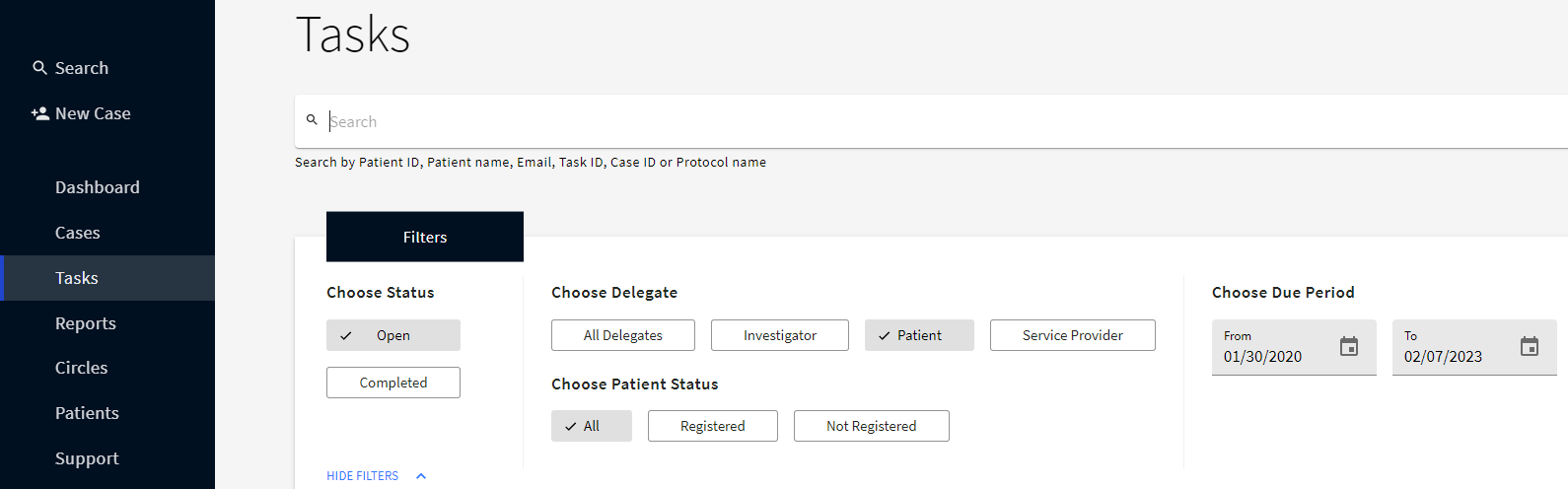
All overdue tasks (surveys) are marked red in the Task list, so you can easily recognize who of your patients/delegates haven’t completed the survey yet.

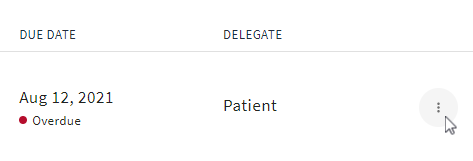
2. Select
Resend Reminder

Tip: You can get to your Tasks list right from your Dashboard by clicking VIEW ALL at the top right of the My Tasks field


2. On the Case Detail page, click
RESEND REMINDER
below the required overdue task


You can also email your patients to remind them of a survey due.
Search keywords:
Tomorrow's Healthcare Decisions. Todays's Real World Evidence.
