

+1 (332) 900-1500
In this article you will learn about:
SMS notifications, once enabled, will automatically send SMS messages to remind patients to enroll or complete surveys. Those messages contain brief, customized messages and include a hyperlink to Benchmarc™, where the patient will still need to enter their email and password to login. SMS notifications use the provided patient phone number, entered during Case creation, patient enrollment, or at any time by updating the patient record within the patient list. SMS messages can go out in addition to, or in the place of, inCytes™ standard patient emails.
Warning: Enabling SMS option will automatically apply to all of your cases and patients.
SMS messaging must be enabled by your Account Manager. Please contact them to:
(1) Register via Stripe with your preferred payment details, where you will be debited monthly based on prior month's usage;
(2) Compose your desired messaging within the required character limits;
(3) Enable SMS within your Circle.
SMS will begin working immediately, for both past cases and newly created cases, so long as a mobile phone number has been provided.
SMS messages can be sent to 200 countries across the globe. Please review this list to see whether SMS can be sent to your country. Countries marked with * require senders to meet specific requirements.
The inCytes™ SMS service is supported by AWS and made available to nearly 200 countries. Please review the pricing table to check which of the below listed tiers your country falls within:
| RegenMed | RegenMed Europe | |
| $ | € | |
| Tier 1 | 0.02 | 0.02 |
| Tier 2 | 0.05 | 0.05 |
| Tier 3 | 0.15 | 0.14 |
| Tier 4 | 0.30 | 0.27 |
Circle funders are responsible for covering the costs of SMS messages sent to cases created within their Circle(s), and must be signed up via Stripe for monthly payments.
Note: All SMS texts are tailored to meet the specific preferences of our customers.
We offer the following types of SMS Communication:


Tip: All SMS messages in our system are coded in GSM 03.38 alphabet that sets special requirements to the message length.
• If the message contains symbols supported by the code, the character limit is 160 characters
With at least one unsupported symbol, the SMS must be no more than 70 characters, otherwise it will be split into several SMS messages and will cost more.
To opt-in a particular patient to receive SMS Messages, add their mobile phone number to the system.
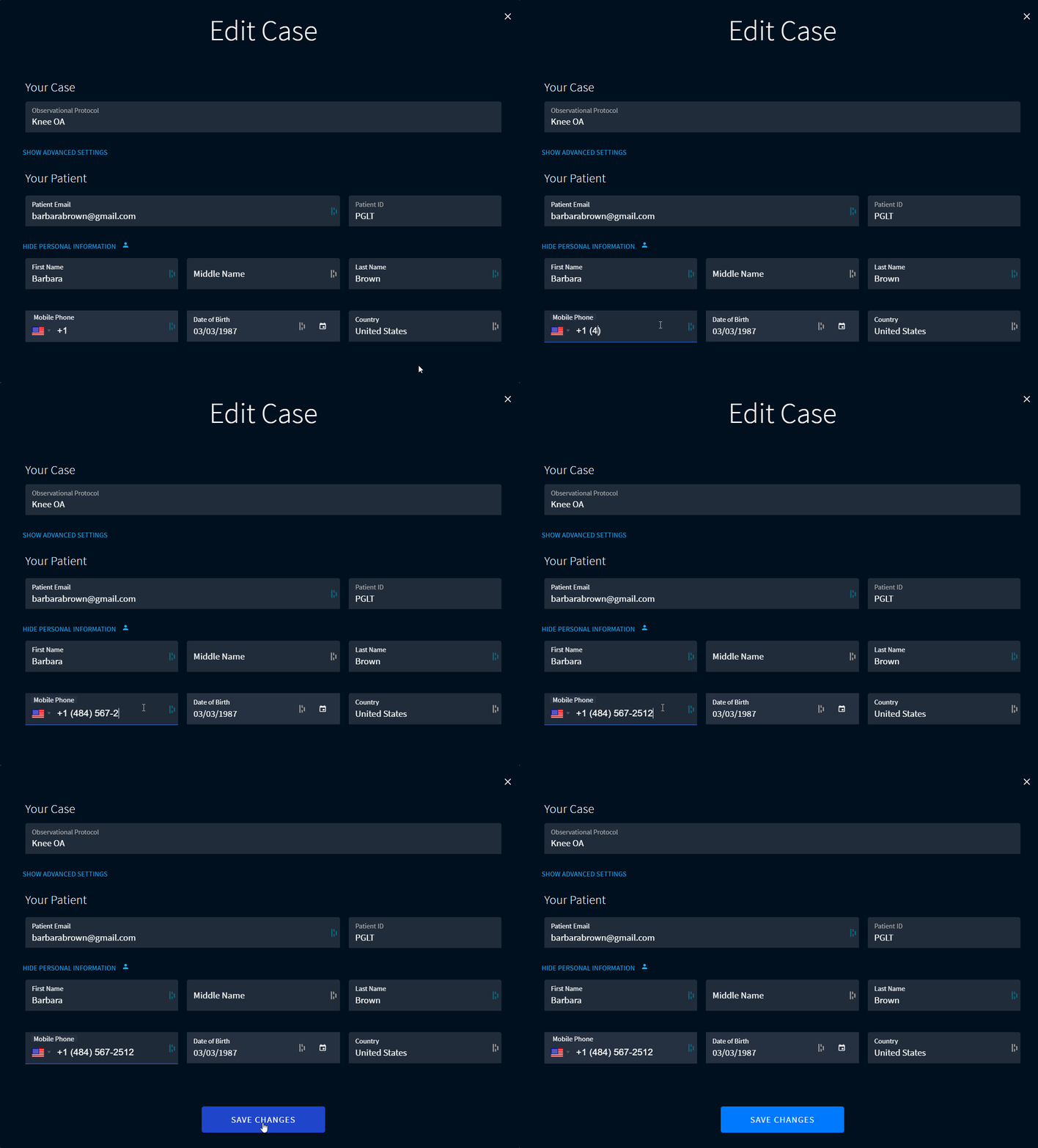
To opt a patient out from SMS notifications, remove their mobile phone number from the system.
Learn more about patient emails.
Search keywords:
Tomorrow's Healthcare Decisions. Todays's Real World Evidence.
