
InvestigatorCase and Patient Management
Customizing Patient Emails
Patient emails, including invitations to register and reminders for survey completion, now come in engaging HTML formats. The improved design will automatically incorporate your profile image and logos, making your emails appear as if they came from your own practice, and ultimately contributing to patient compliance and improved patient experience.
We support customization of:
- Patient enrollment email
- Patient registration reminder
- Patient survey reminder
- Text patient survey reminder
Patient Enrollment Email
Tip: Sent to the patient after investigator creates a case (unless the commencement date was changed)
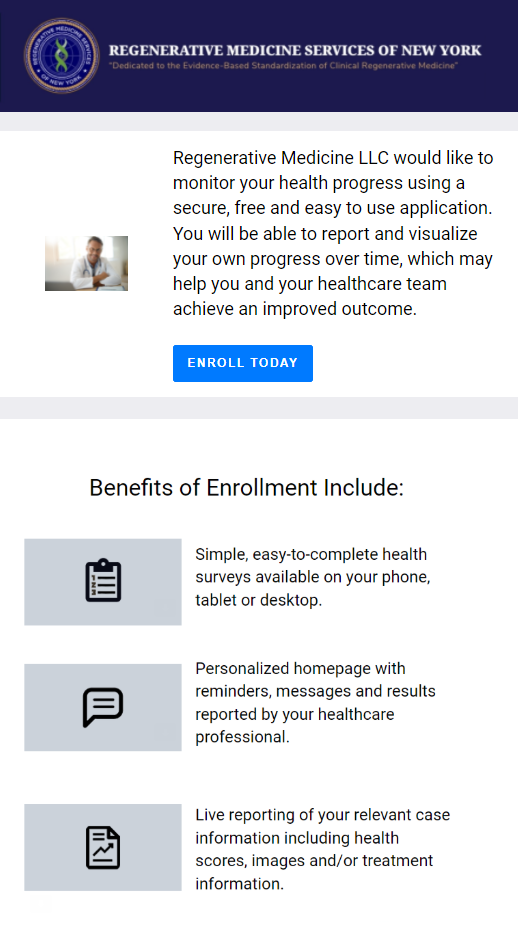
Data that can be pulled from your profile to the email template:
- Investigator’s First Name
- Last Name
- Credentials
- Team Name
- Link to the Patient Portal
- Background Image
- Logo
- Patient’s PI data (answers given to PI questions within a survey)
Patient Registration Reminder
Note: Sent to the patient if they have not registered after receiving the enrollment email. This reminder is meant to encourage the patient to complete the registration process.

Data that can be pulled from your profile to the email template:
- Investigator’s First Name
- Last Name
- Credentials
- Team Name
- Link to the Patient Portal
- Background Image
- Logo
- Case ID
Patient Survey Reminder
Tip: • Sent when the survey due date comes to remind a patient to complete the survey/task.
• Can be specified for each follow up delegated to a patient.
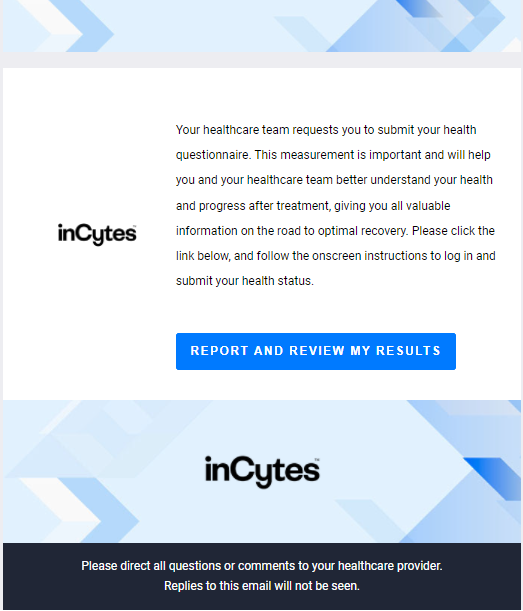
Data that can be pulled from your profile to the email template:
- Investigator’s Last Name
- First Name
- Credentials
- Patient’s Case Id
- Link to the Patient Portal
- Background Image
- Logo
- Patient’s PI data (answers given to PI questions in the survey)
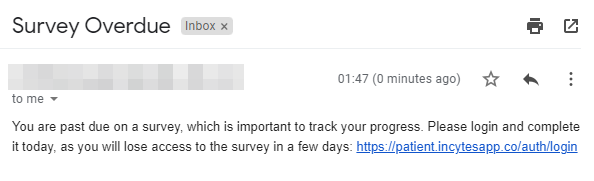
Text Patient Survey Reminder
Tip: A duplicate reminder for an ordinary survey reminder which is sent to the patient manually. The text will be automatically uploaded along with your email client and can be edited there.
Please contact your Account Manager to design your patient communication.
Did this article answer your question?
Related articles