
InvestigatorCase and Patient Management
Removing Cases
You have the ability to close a case that is no longer relevant by taking one of the following actions:
Completing a case
Caution: The patient will no longer receive surveys after the case was completed.
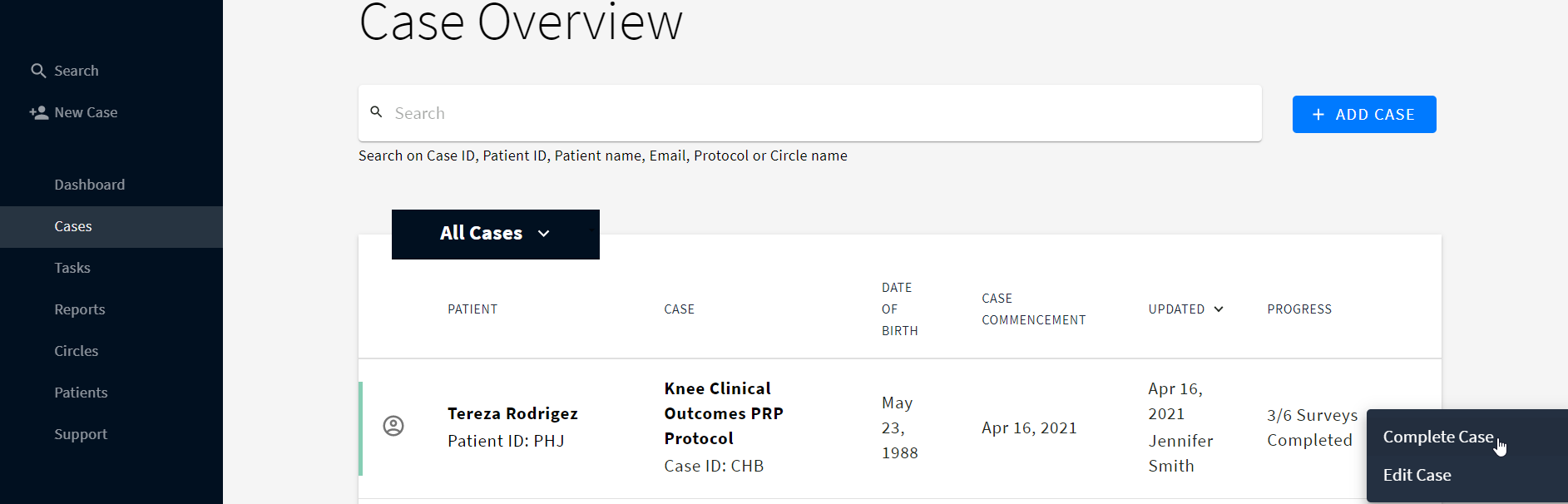
- Go to the Cases tab
- Click three dots next to the required case
- Select Complete Case
OR
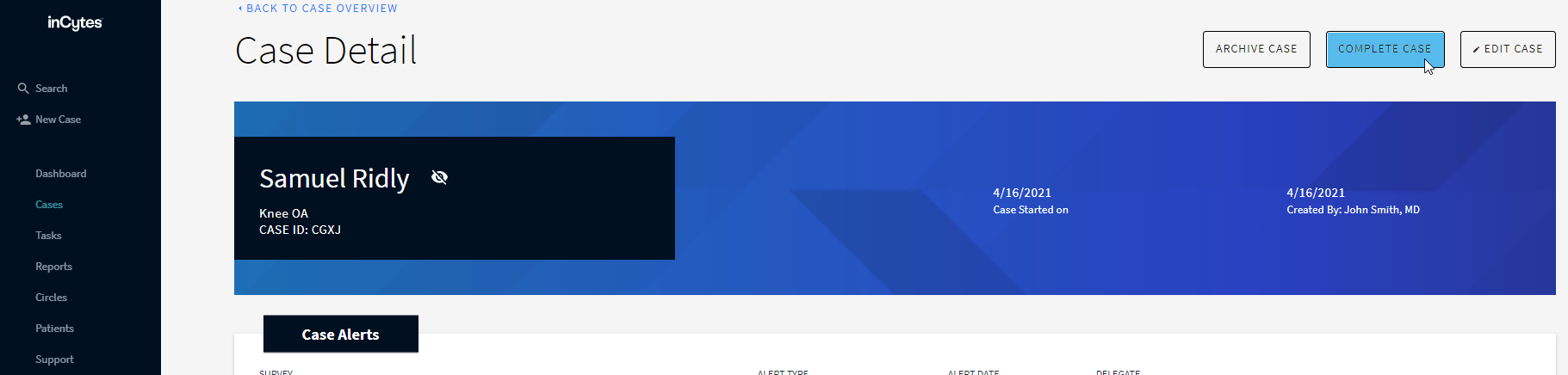
- Go to the Cases tab
- Select the required case
- Click COMPLETE CASE at the top right of the screen
Archiving a case
Caution: This action cannot be undone and will exclude case results from the overall statistics
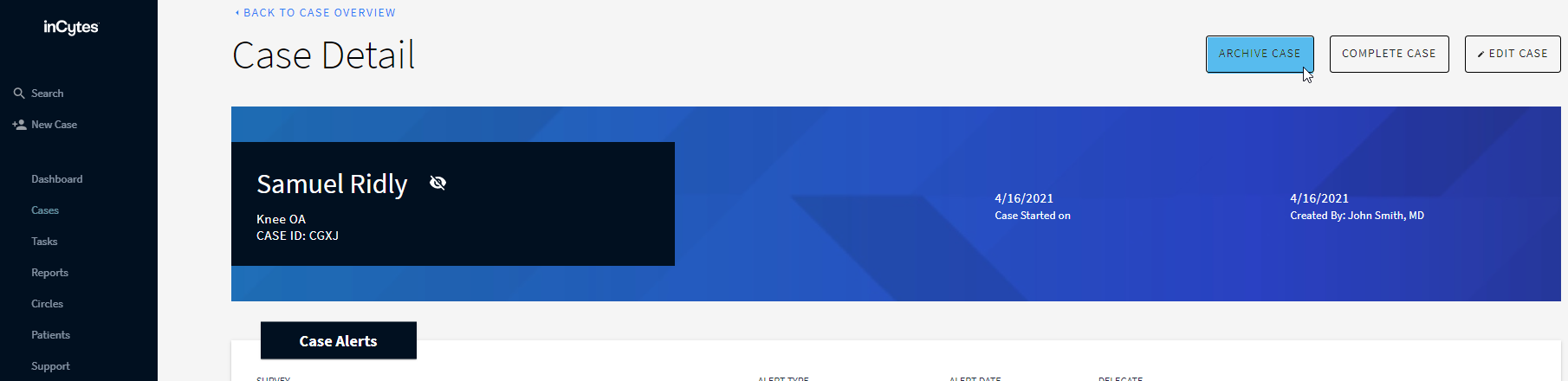
- Go to the Cases tab
- Select the required case
- Click ARCHIVE CASE at the top right of the screen
Did this article answer your question?
Related articles