
InvestigatorAccount/Profile Settings
Changing Password
We recommend you write down your password or use the password manager so you don't forget it.
Caution: You have 5 attempts to change your password at once; after that, this option will be blocked for you for 2 hours.
To change your password, follow the steps below:
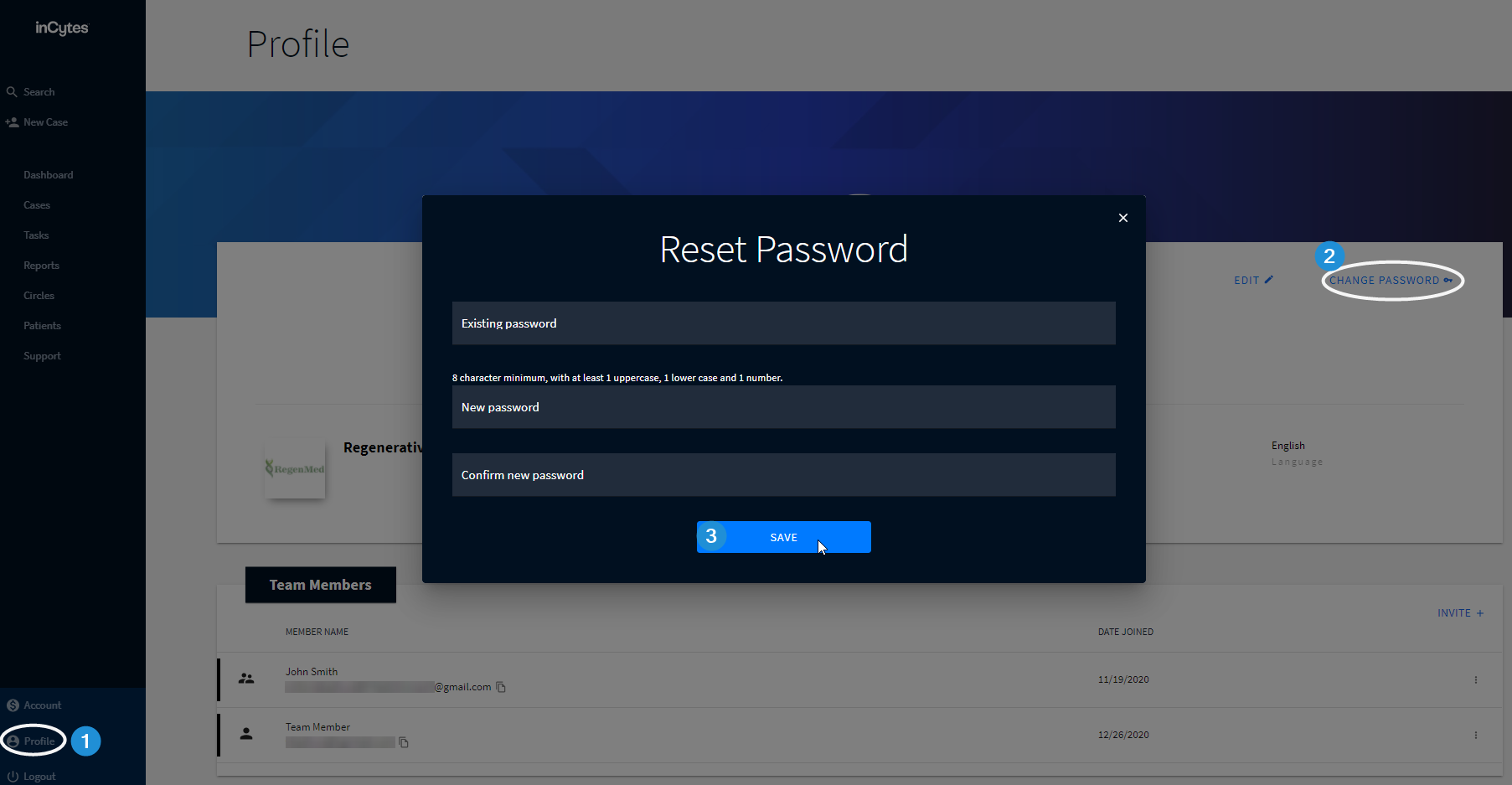
- Click Profile at the navigation bar
- Click CHANGE PASSWORD at the top right of the screen (next to EDIT)
- Enter the existing password
- Enter your new password and confirm it
- Click SAVE
OR
- Log out, then click FORGOT YOUR PASSWORD? under the Password field
- Enter your email
- Click SUBMIT
- Find the email from no-reply in your mailbox. Enter the access code that has been sent to your email
- Enter your new password and confirm it
- Click RESET PASSWORD
- Sign in with your new password/with your new credentials

Did this article answer your question?
Related articles