
InvestigatorAccount/Profile Settings
Registration for the inCytes™ Clinician Portal
Registering with inCytes™ allows you to enjoy the full feature suite of the platform and access to your cases.
To begin, follow an invitation link from a colleague or our inCytes™ team (received via email or social networks) and the registration screen will immediately open.
Fill in the following information for your account:
- First name, last name, and email
• Please make sure your email is the same as the email that was placed into our system - Preferred PI region
- Create a password
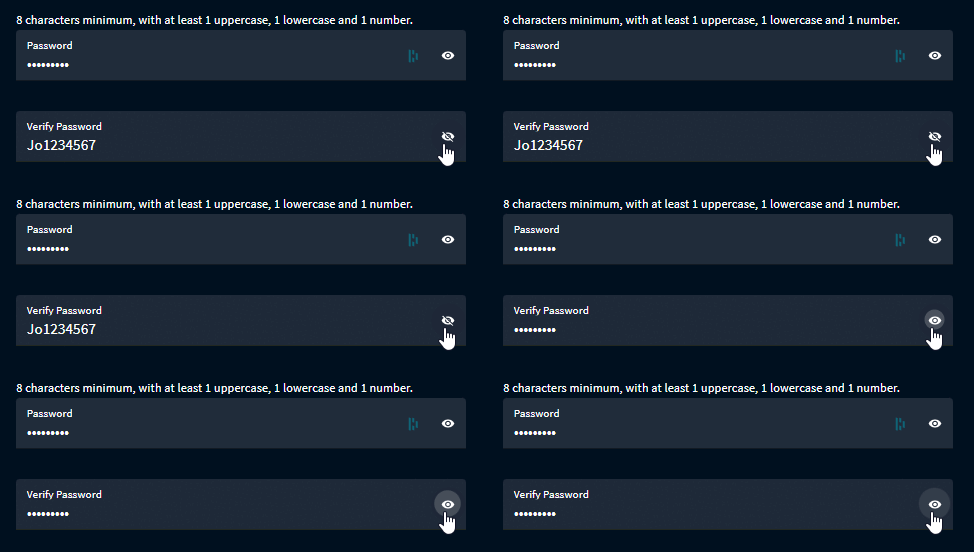
• Your password must contain 8 characters minimum, with at least 1 uppercase, 1 lowercase and 1 number
Tip: You can click the eye icon next to the password field to reveal the characters of your password to ensure that you enter it correctly.
- Please take the time to carefully read the inCytes™ License Agreement, once finished, please check the box to agree and click Next.
Caution: You won’t be able to use the platform without signing the document.
By clicking NEXT, you should receive an email from notifications@incytes.com within minutes. This email contains a verification code to finalize your account registration. You should copy and paste the code to the corresponding field on your sign up screen.
Click SUBMIT - you should now have access to your account dashboard.
Did this article answer your question?
Related articles